
Staff
Your dashboard and balance
Reading your account balance, settings, profile and help tooltips.
Updated September 2026
Reading your account balance, settings, profile and help tooltips.
- 01
Dashboard
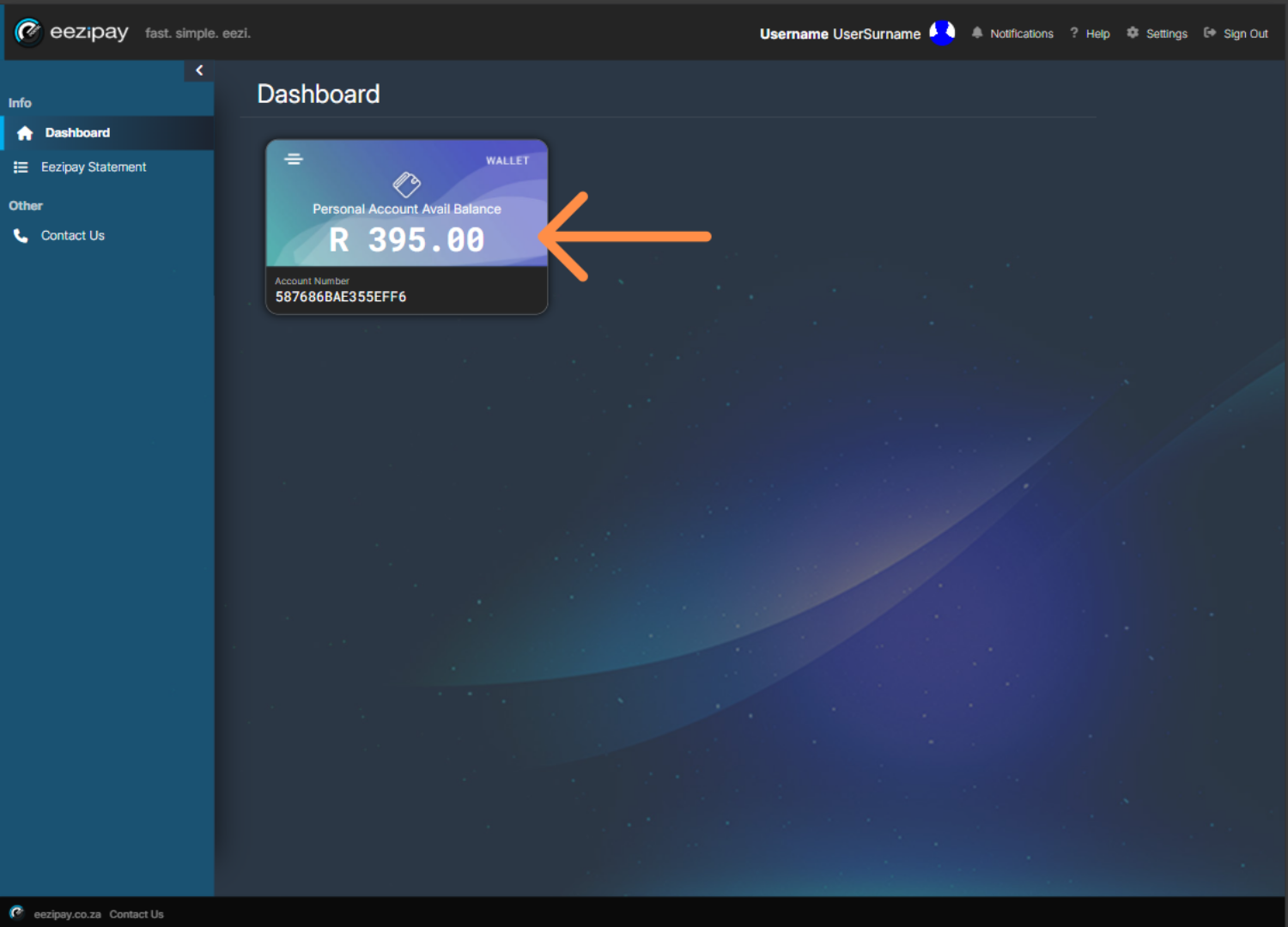
After logging in, you will be welcomed by the dashboard. The first thing you will see is your account balance. This is the amount of money you have left to spend for the month.
- 02
How to Manage Your Card & Settings
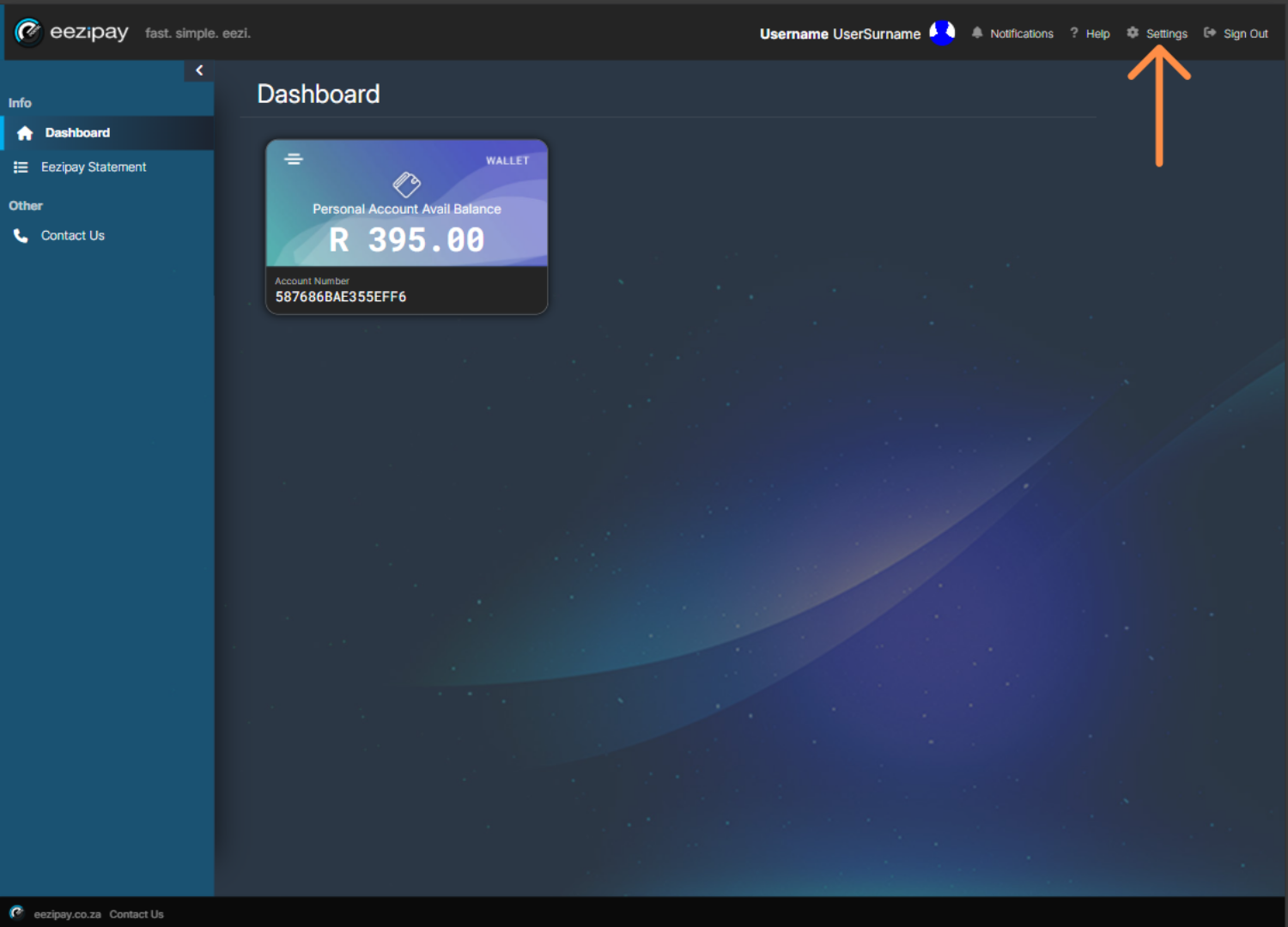
To manage your card and other settings, click on the Settings option located in the top right-hand corner of the screen.
- 03
User Settings
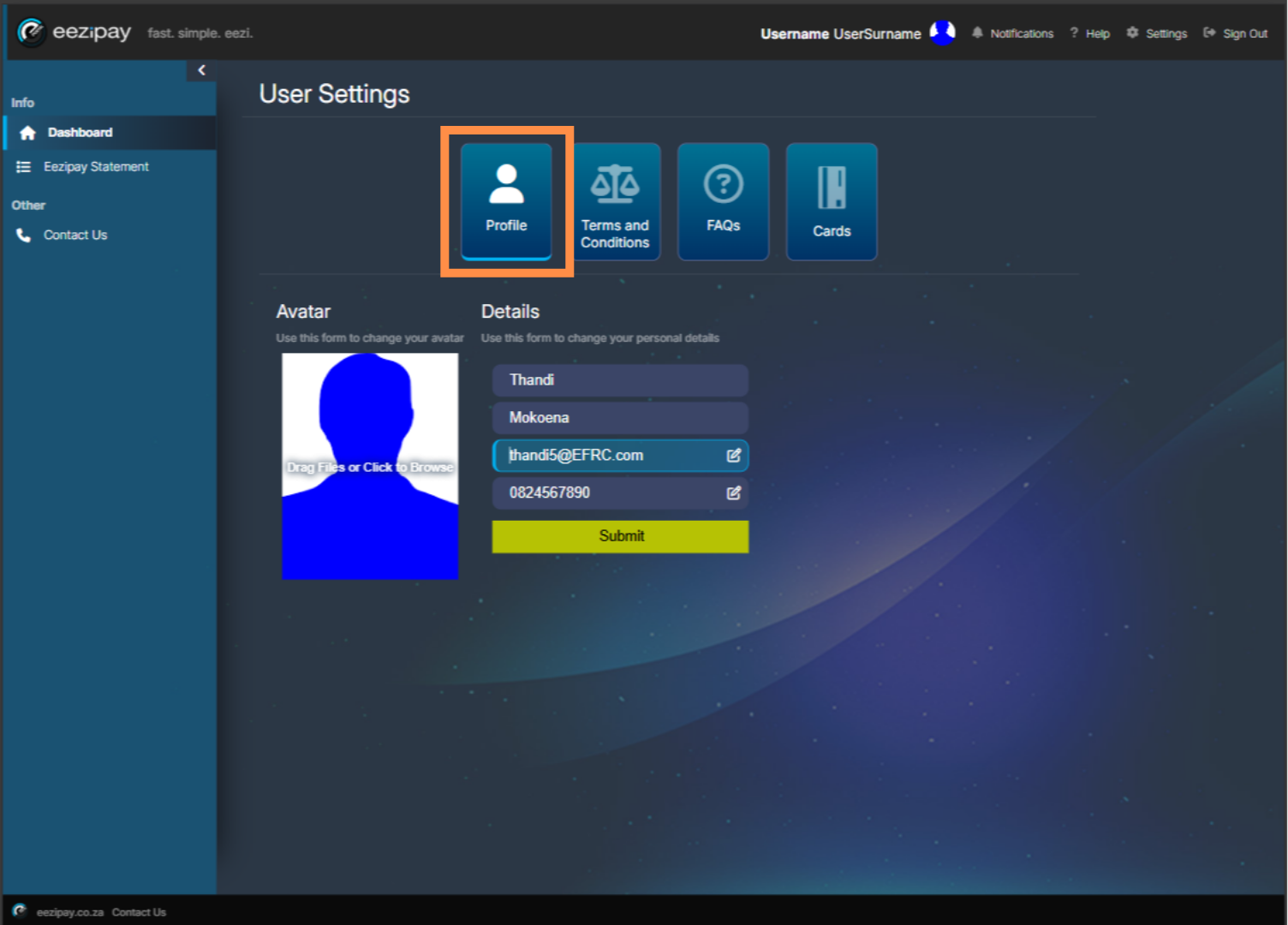
In user settings, you can update your Profile, view our Terms and Conditions, see the FAQs, and manage your cards
- 04
Help Tooltips
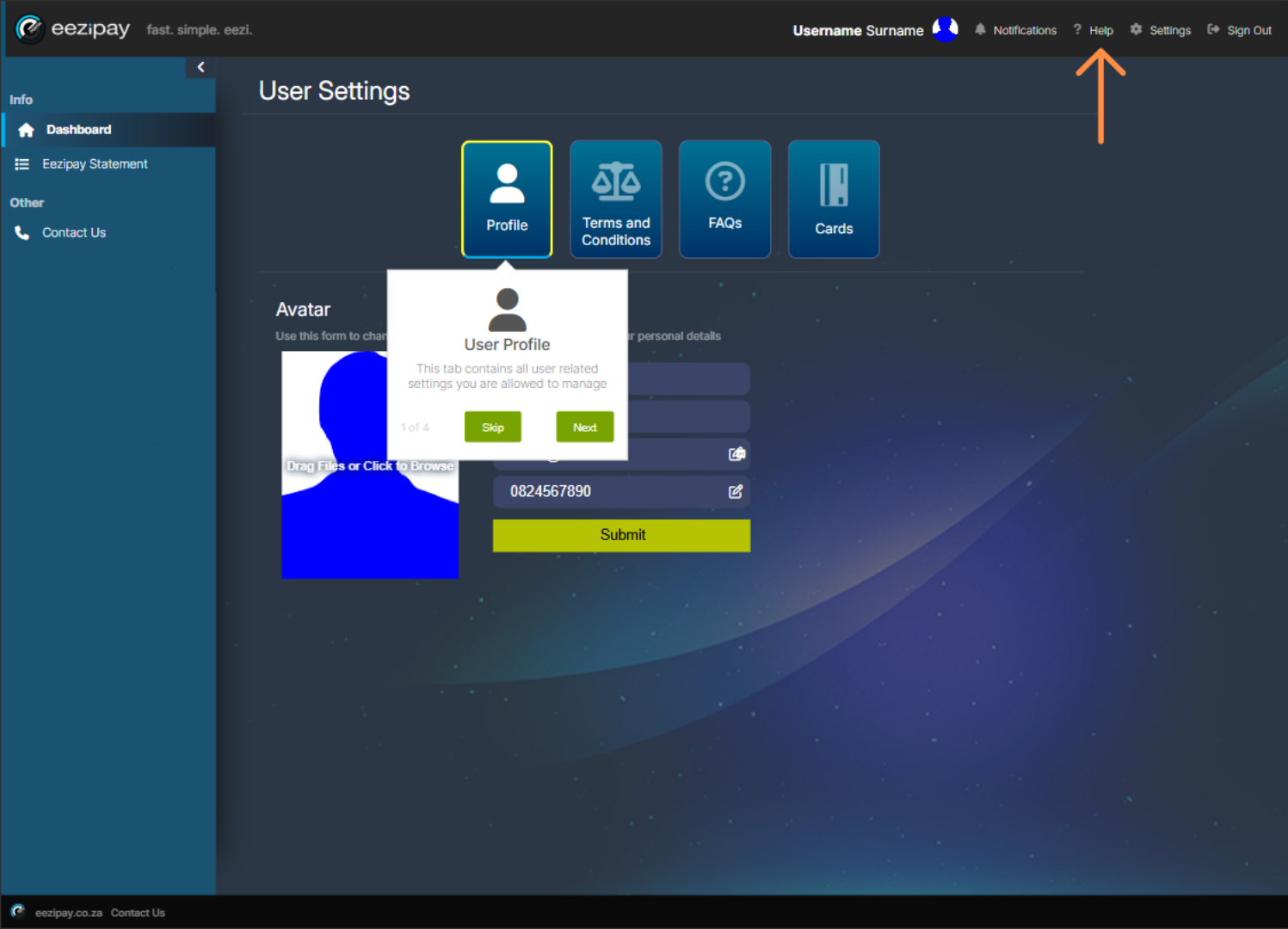
If you click on the Help button at the top right of the screen, tooltips will explain each aspect of the platform.
- 05
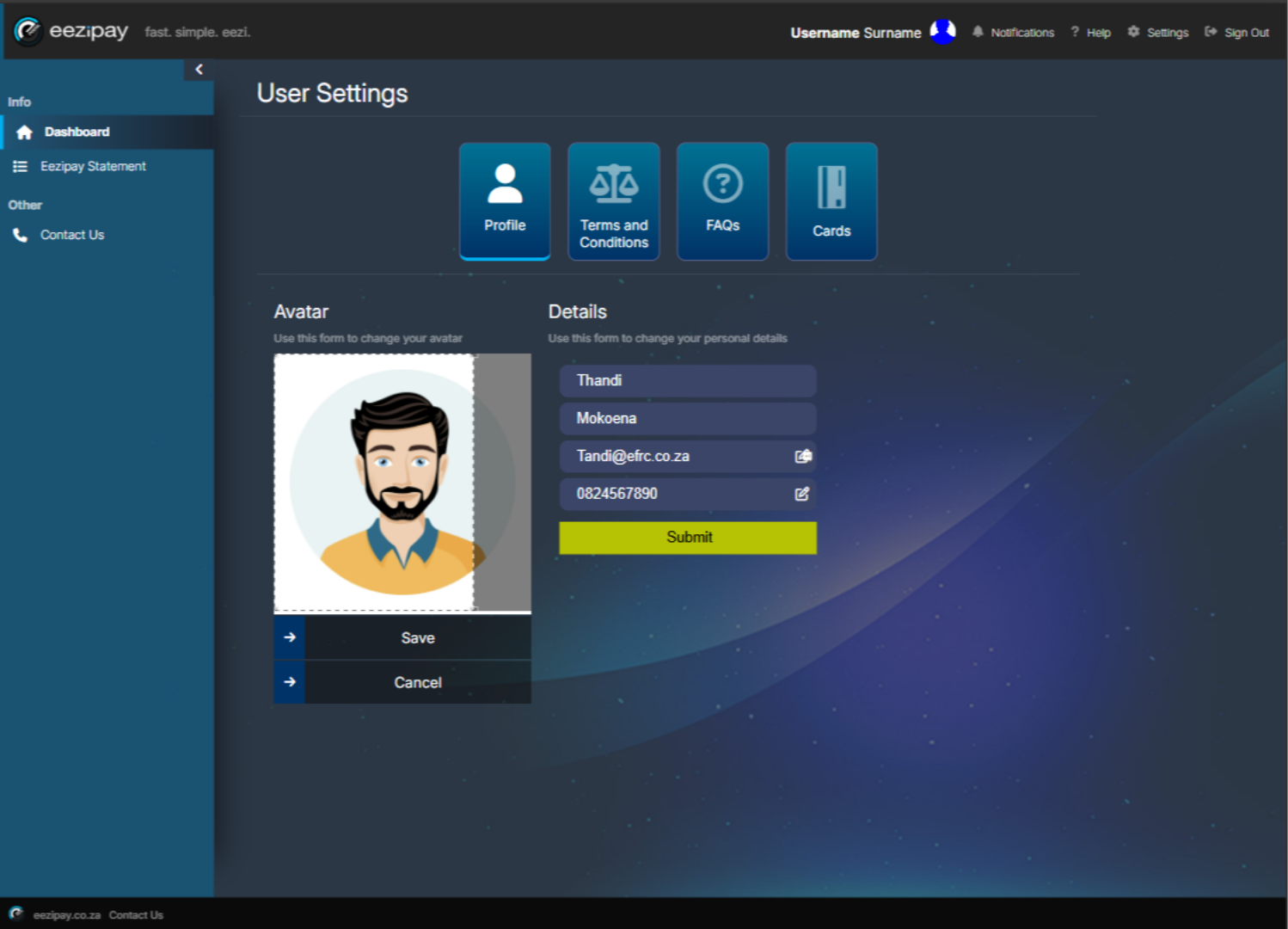
Profile
In your profile you can manage your name, contact details, and profile image. To add a profile image, simply click on the placeholder image, upload your own image, and click save.
- 06
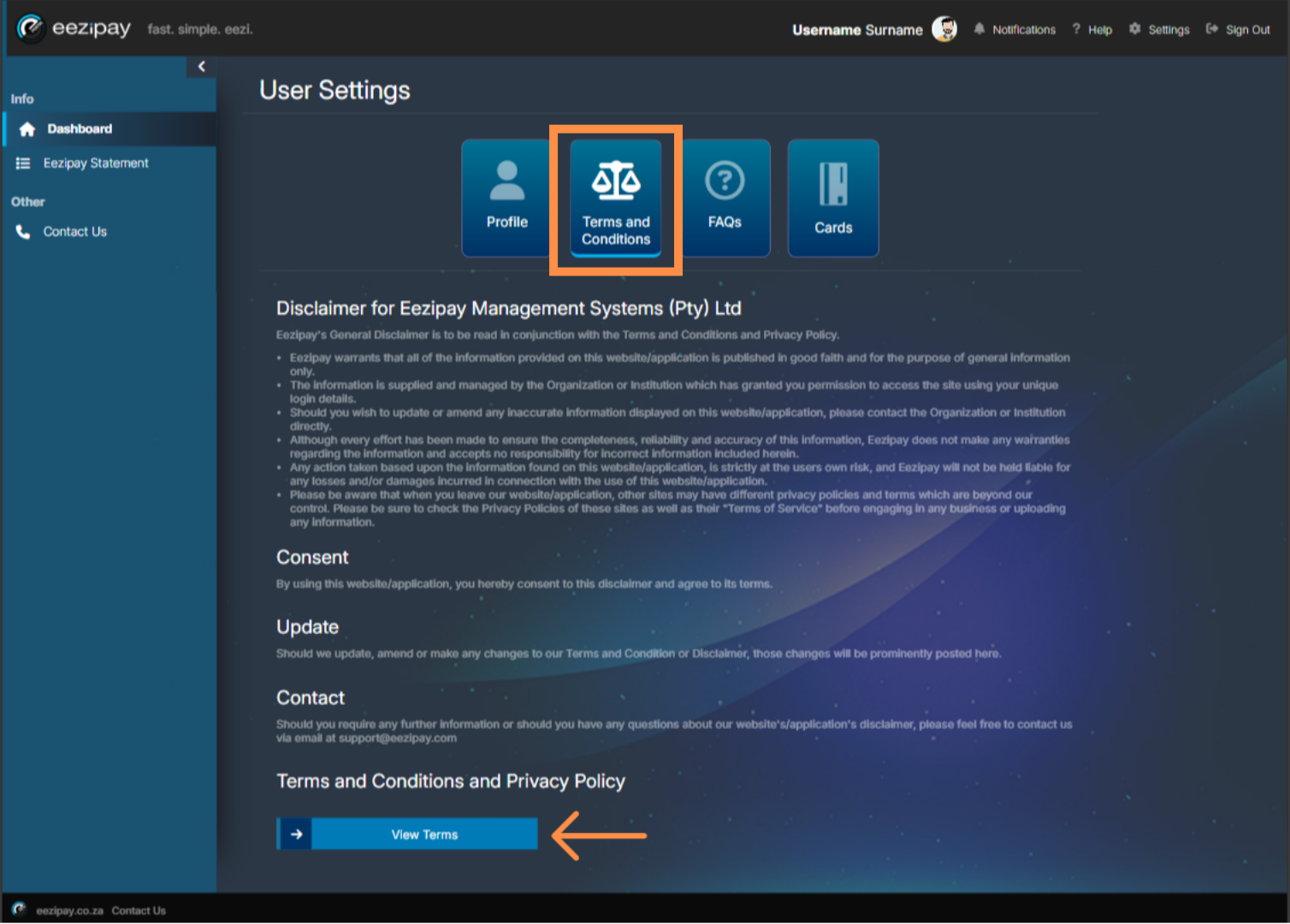
Terms & Conditions
Select the Terms and Conditions option to view our Terms & Conditions, then click on the View Terms button below.
- 07
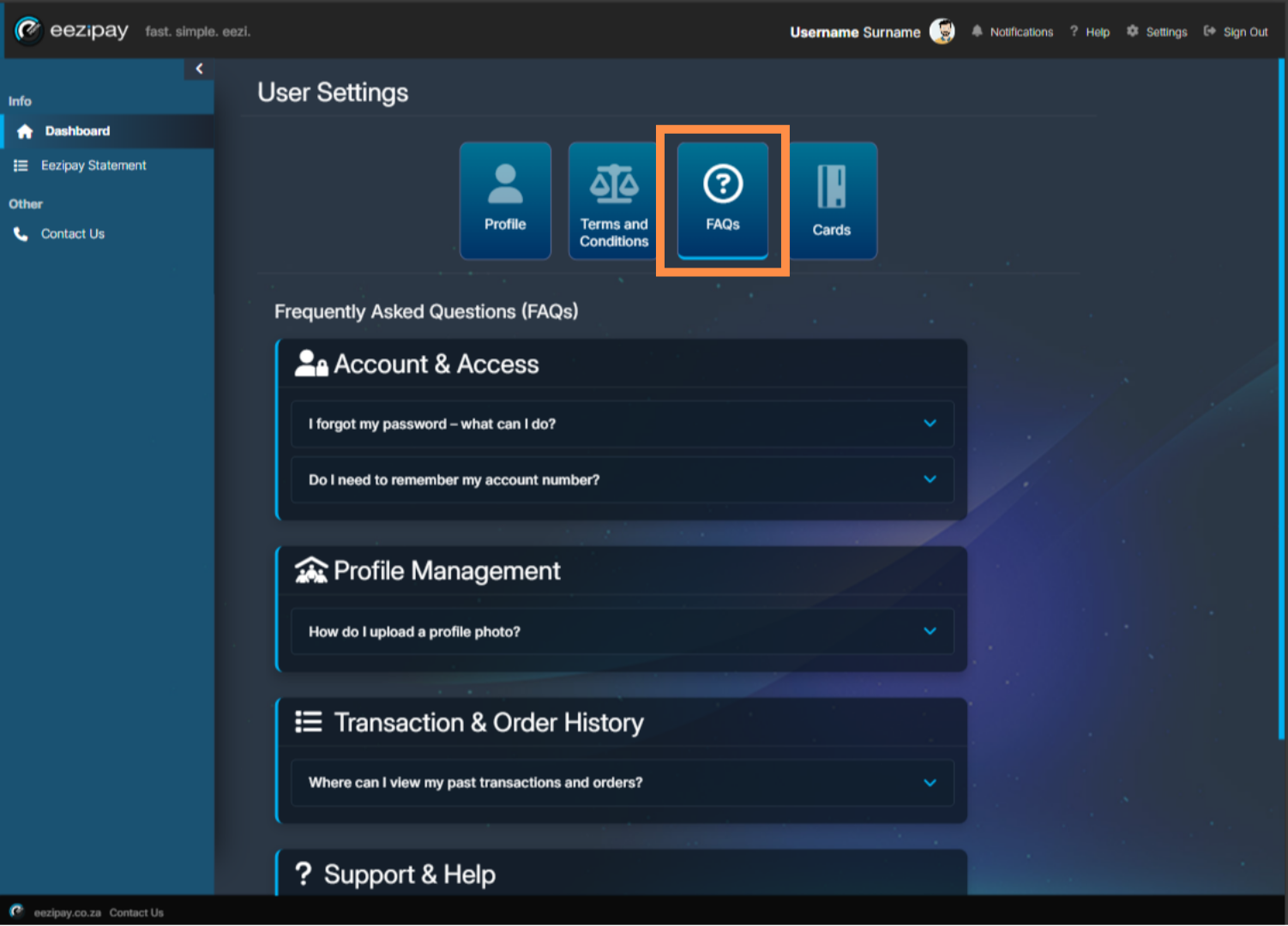
FAQs
View frequently asked questions and answers by clicking on the FAQs button.
Related guides
Still need a hand?
Email support@eezipay.com and the Eezipay support team will help you out.