
Staff
Linking a new card
Adding a card issued by your HR administrator, setting its PIN, and paying with your virtual card.
Updated September 2026
Adding a card issued by your HR administrator, setting its PIN, and paying with your virtual card.
- 01
Managing Your Card
To manage your cards, click on the Cards button.
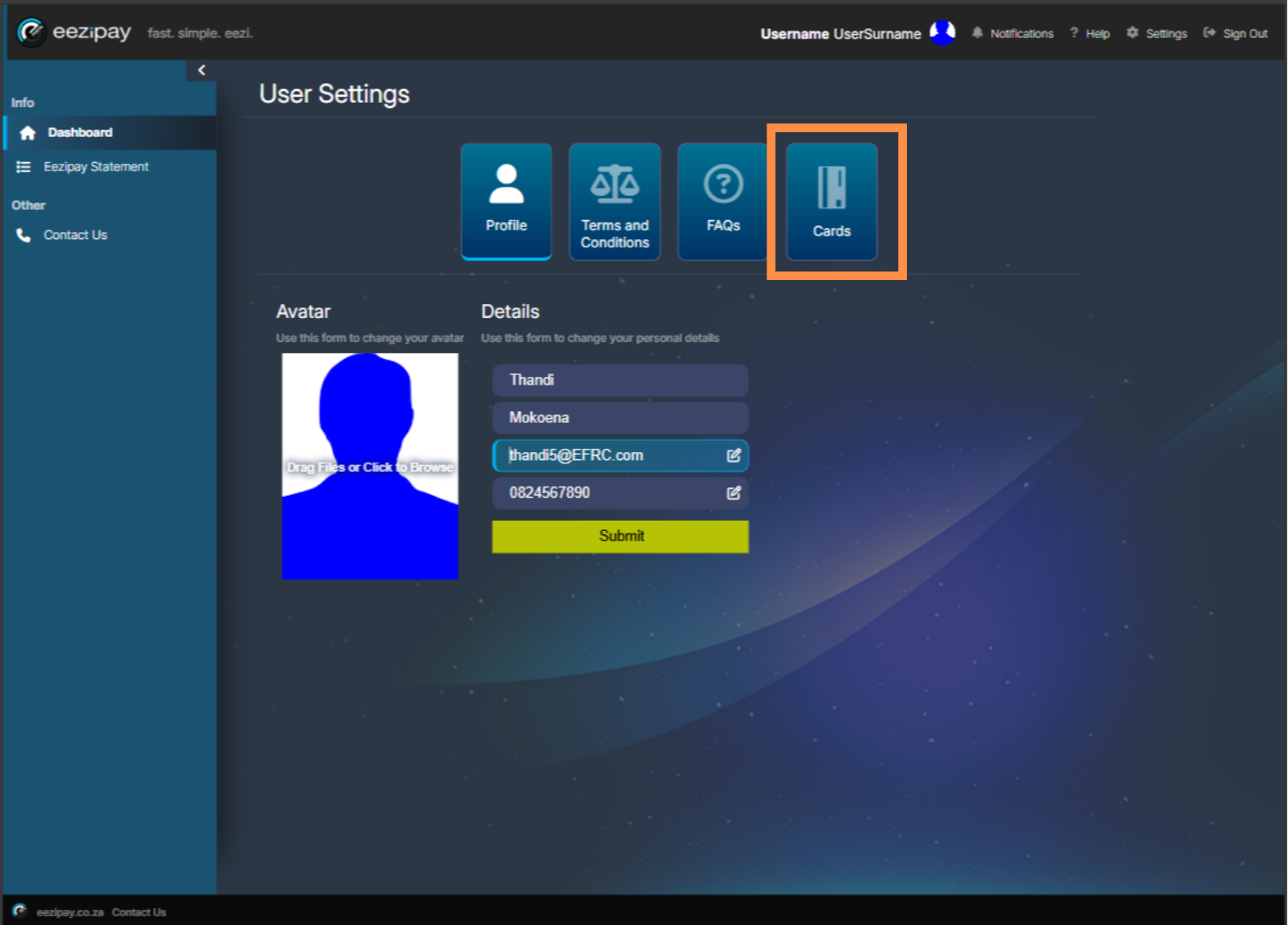
- 02
Card Management Options
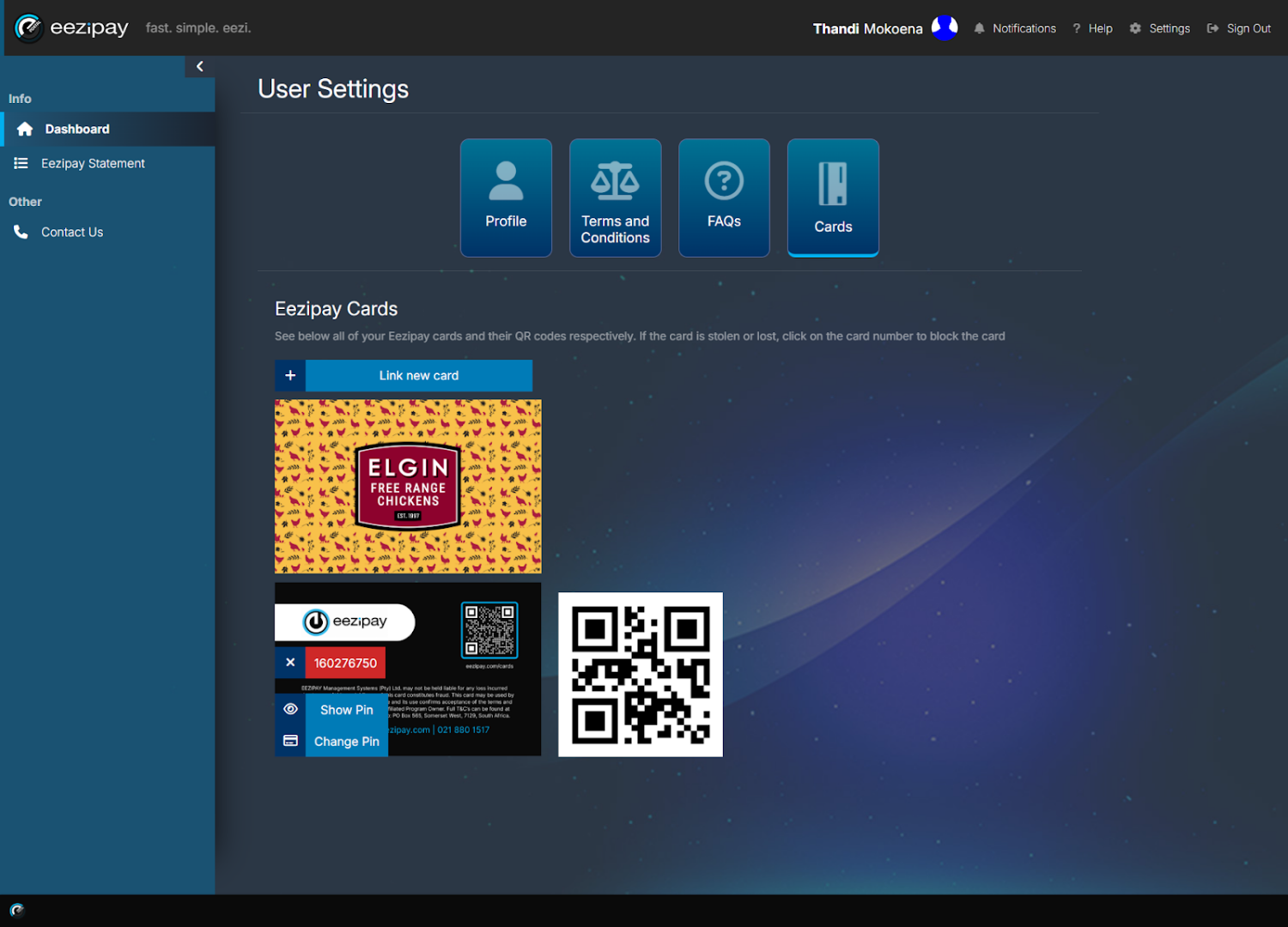
You will be directed to the Eezipay Cards section. Here you can retrieve and change your pin, access your card QR code, link a new card, and block or cancel your card.
- 03
Paying with Virtual Card
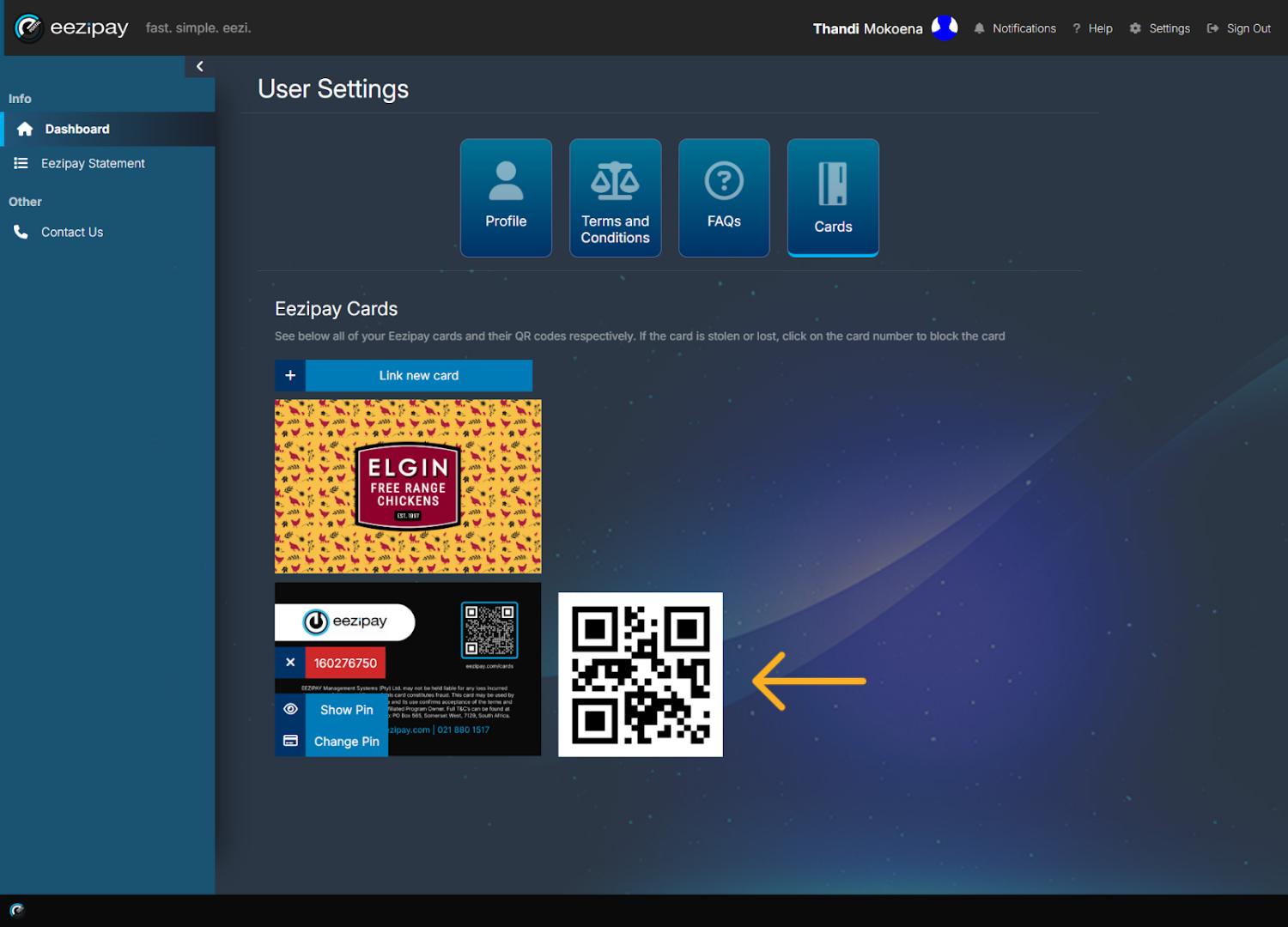
If you do not have your physical card with you at the till, you can still pay with your virtual card. To do so, log into the portal using your phone, then navigate to your cards, and hold up your QR code for the cashier to scan. Additional ways to pay with your virtual card include, taking a screenshot of your QR code and saving it to your phone or printing it for easy access at the till. You can also save your card number and simply present that at the till as well.
- 04
How to Link a New Card
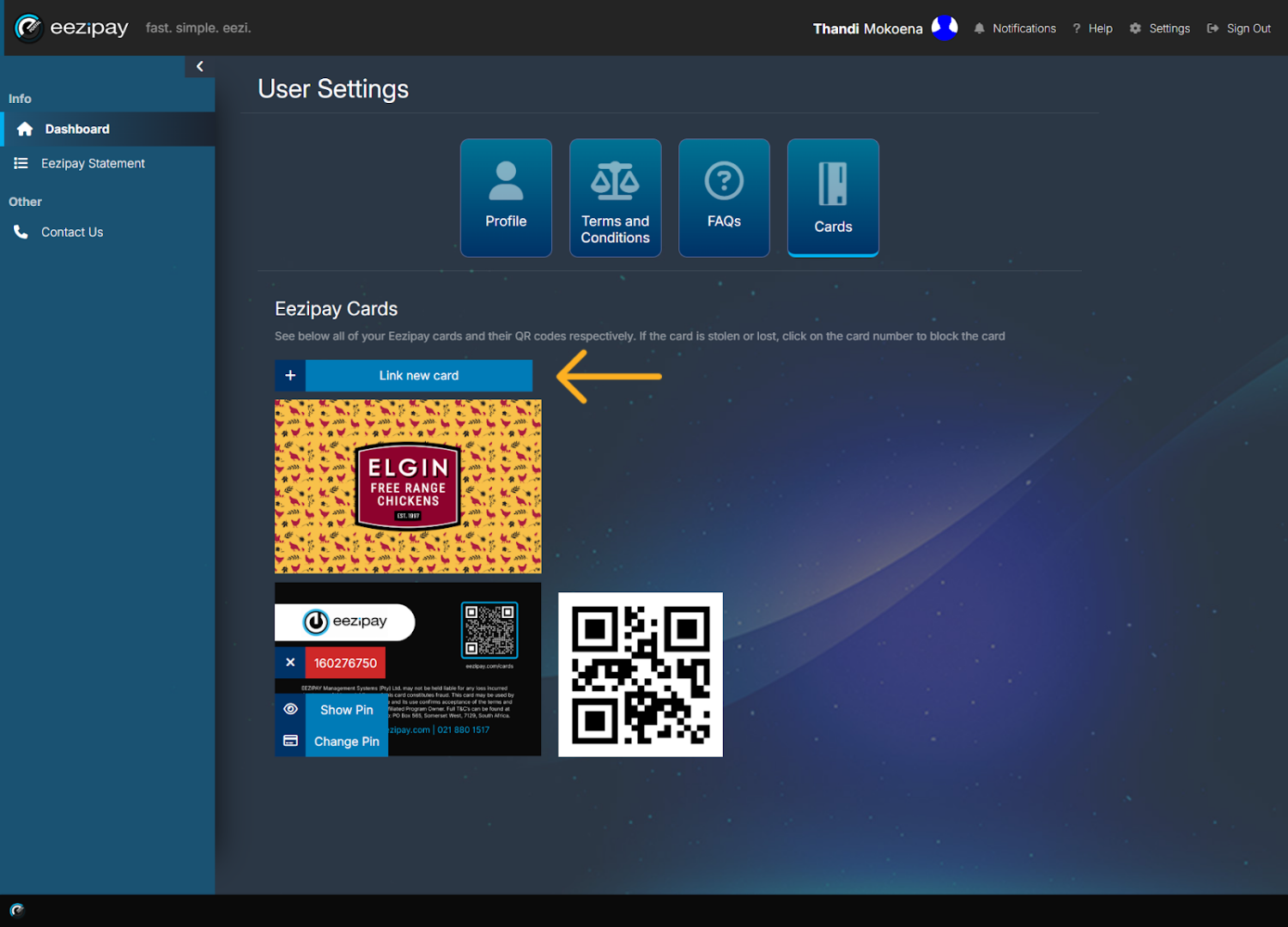
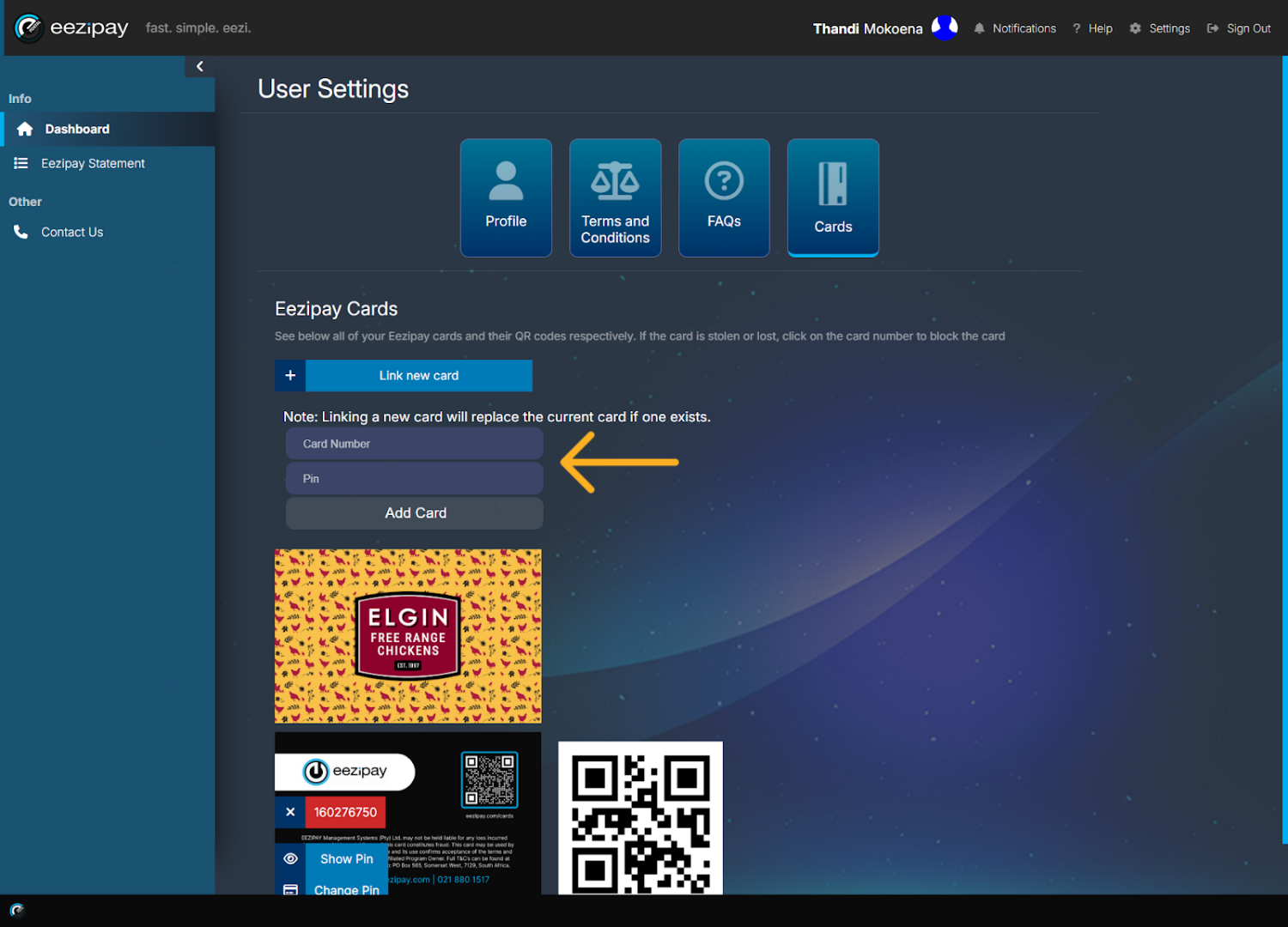
When you receive a new card from your HR administrator, the card will most likely already be linked. However, if you need to link a new card yourself, please follow these steps. Firstly, click on the Link New Card Button.
- 05
Accessing Card Link Fields
The Card Number and Pin fields will become available.
- 06
Adding New Card Number & Pin
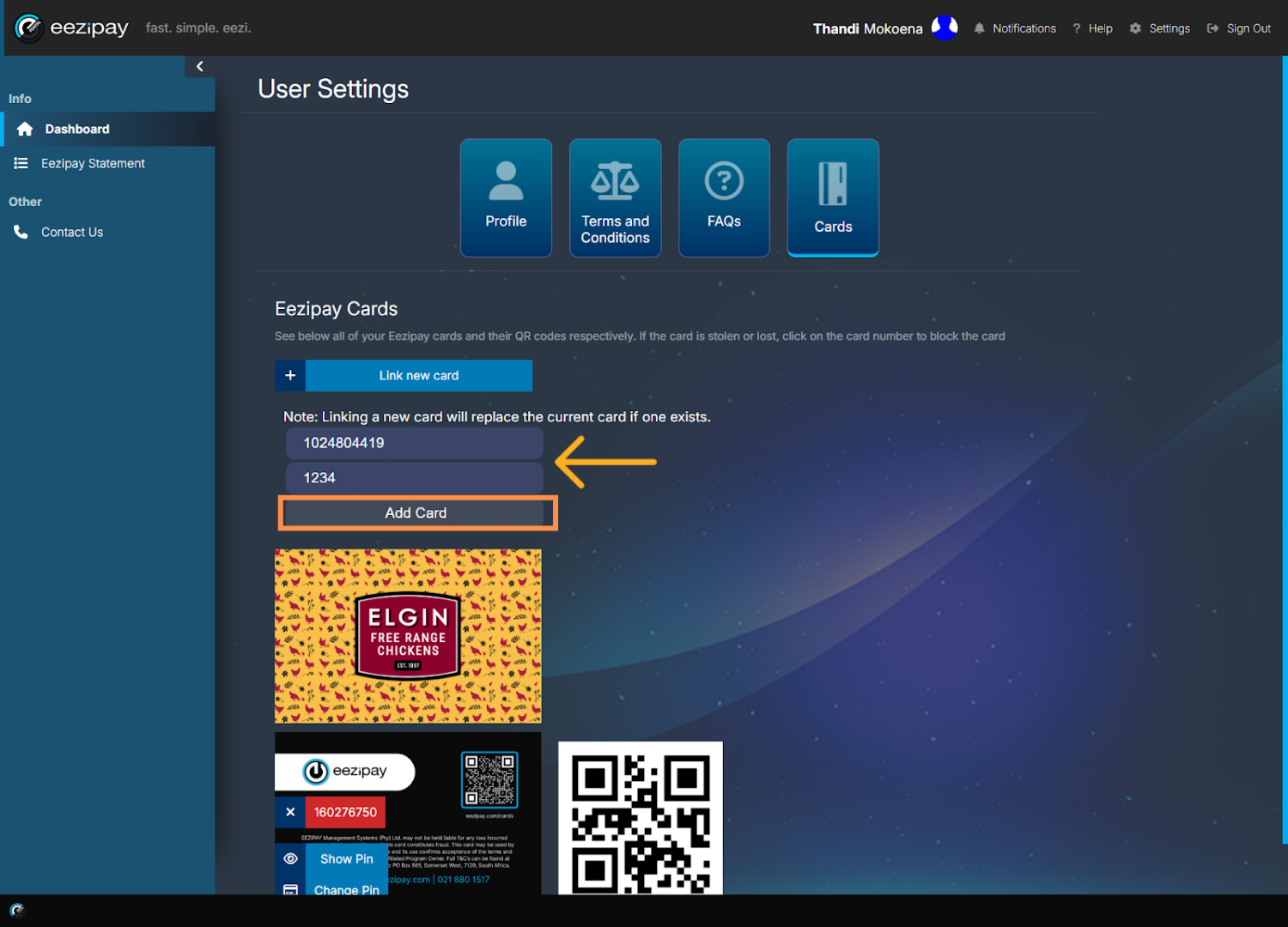
Add the new card number that you’ve received from your HR administrator, set a pin for your card, and click Add Card.
- 07
Card Link Success
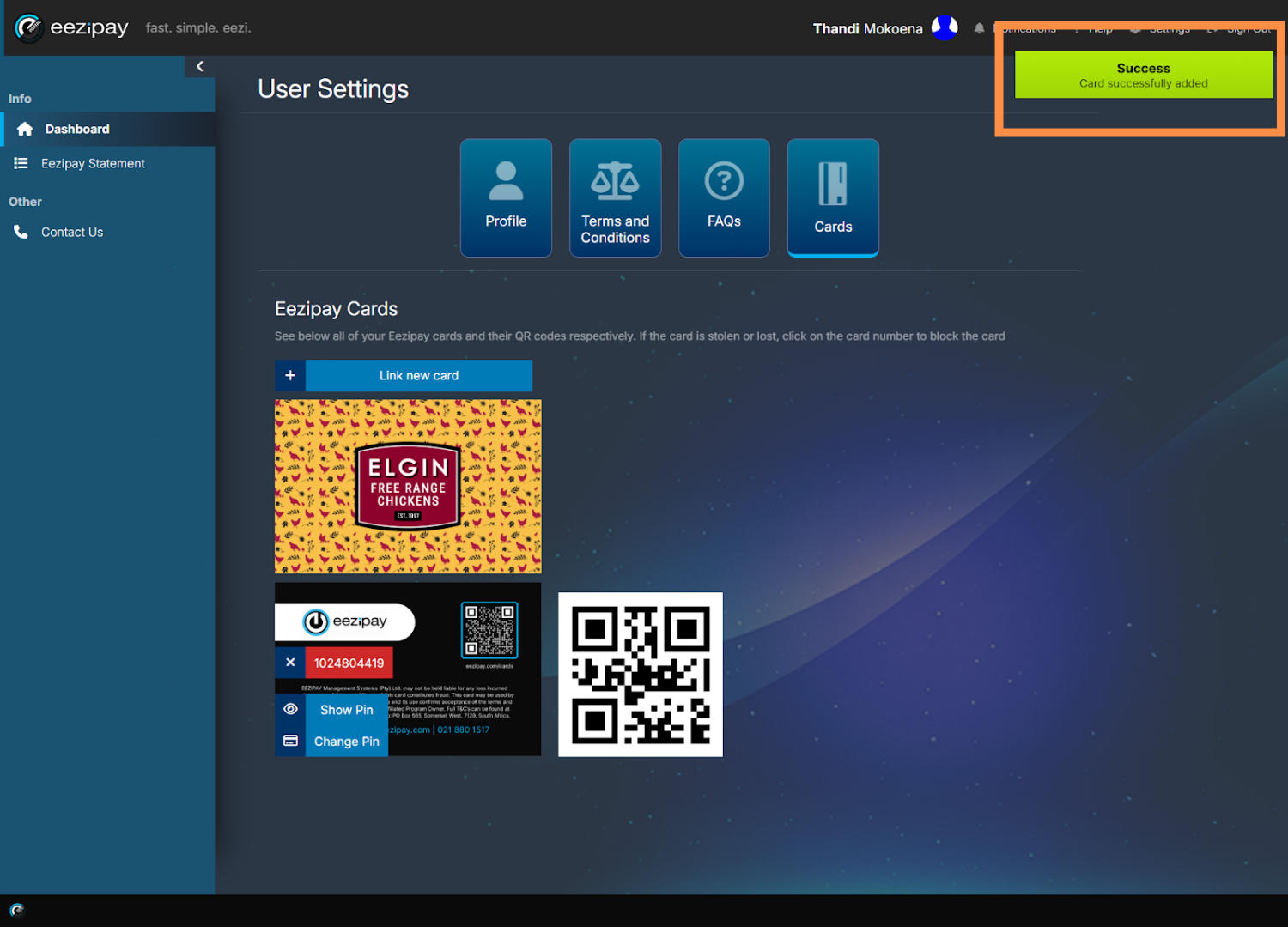
The system will then indicate that the card was successfully linked.
Related guides
Still need a hand?
Email support@eezipay.com and the Eezipay support team will help you out.