
Staff
Statements and contacting support
Filter statements by month, export to Excel or PDF, log a query through Contact Us, and log out.
Updated September 2026
Filter statements by month, export to Excel or PDF, log a query through Contact Us, and log out.
- 01
How to View Eezipay Statements
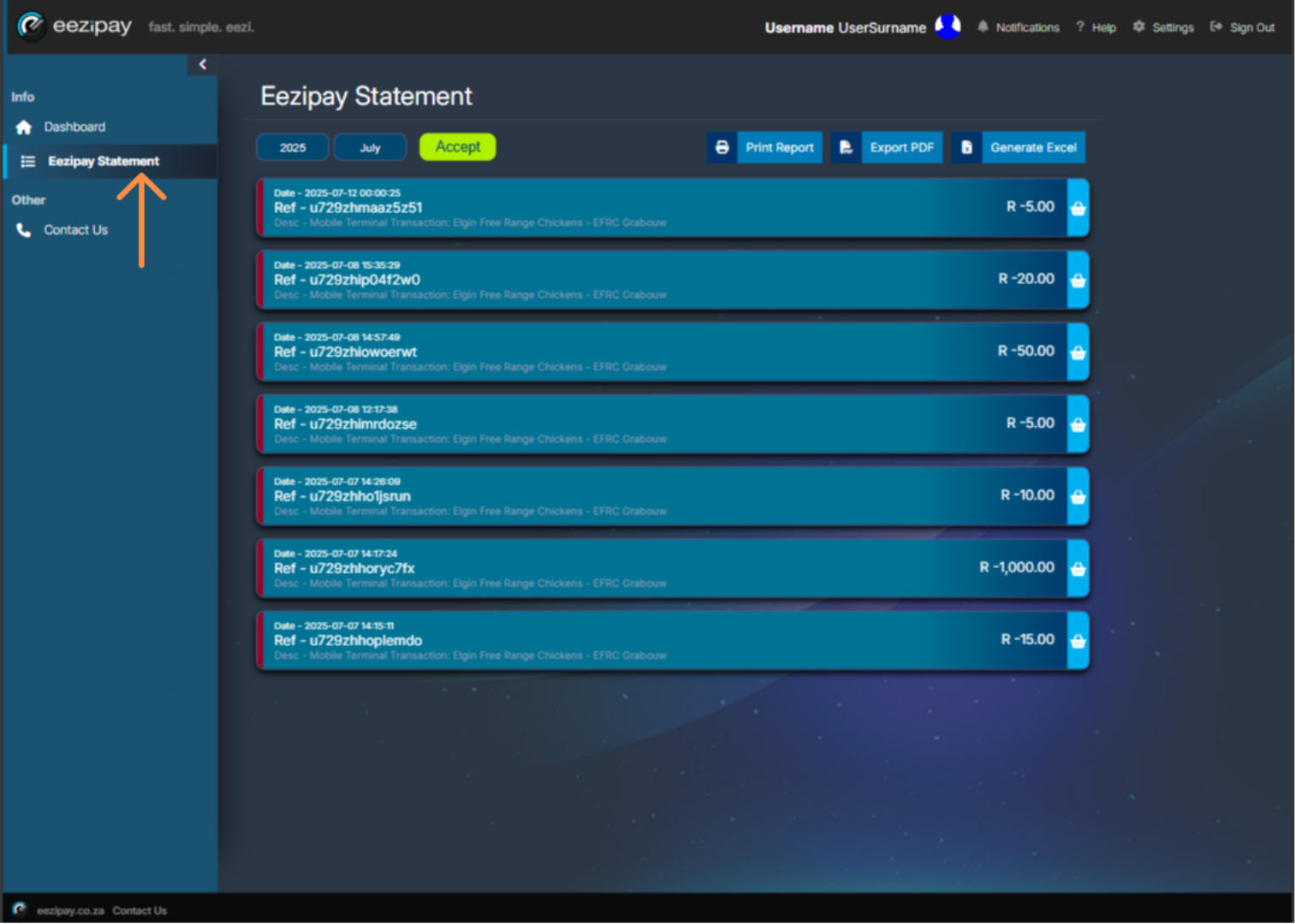
You can view your statements from the Main Menu. Simply click on the Eezipay Statements menu option to proceed. On the Eezipay Statement page, you will be able to see all of your account transactions that you’ve made for the month.
- 02
How to View Eezipay Statements for specific months
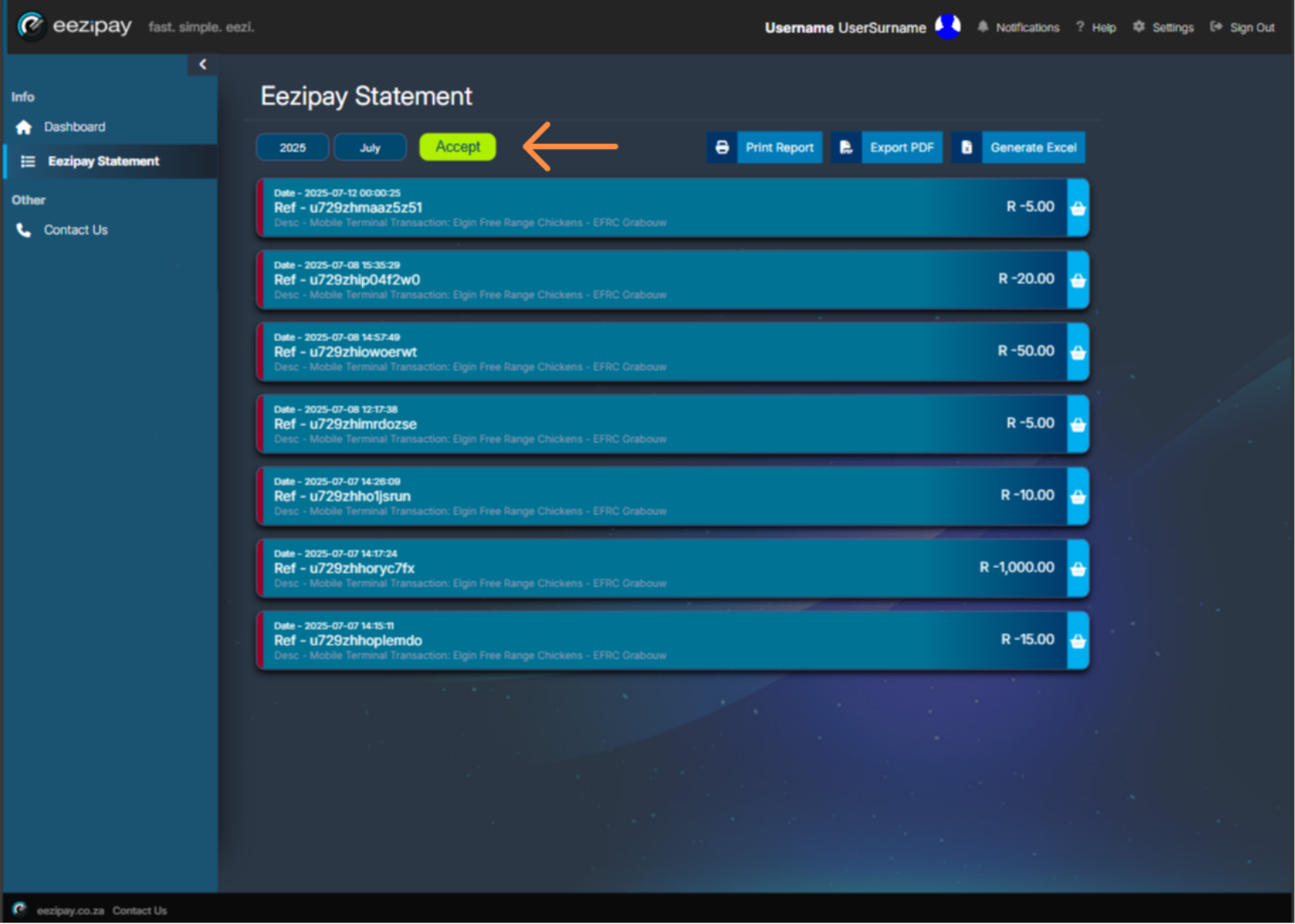
If you would like to see transaction for a different period, you can do so by changing the year and or month options in the filter provided and then clicking the Accept button.
- 03
Exporting Statements
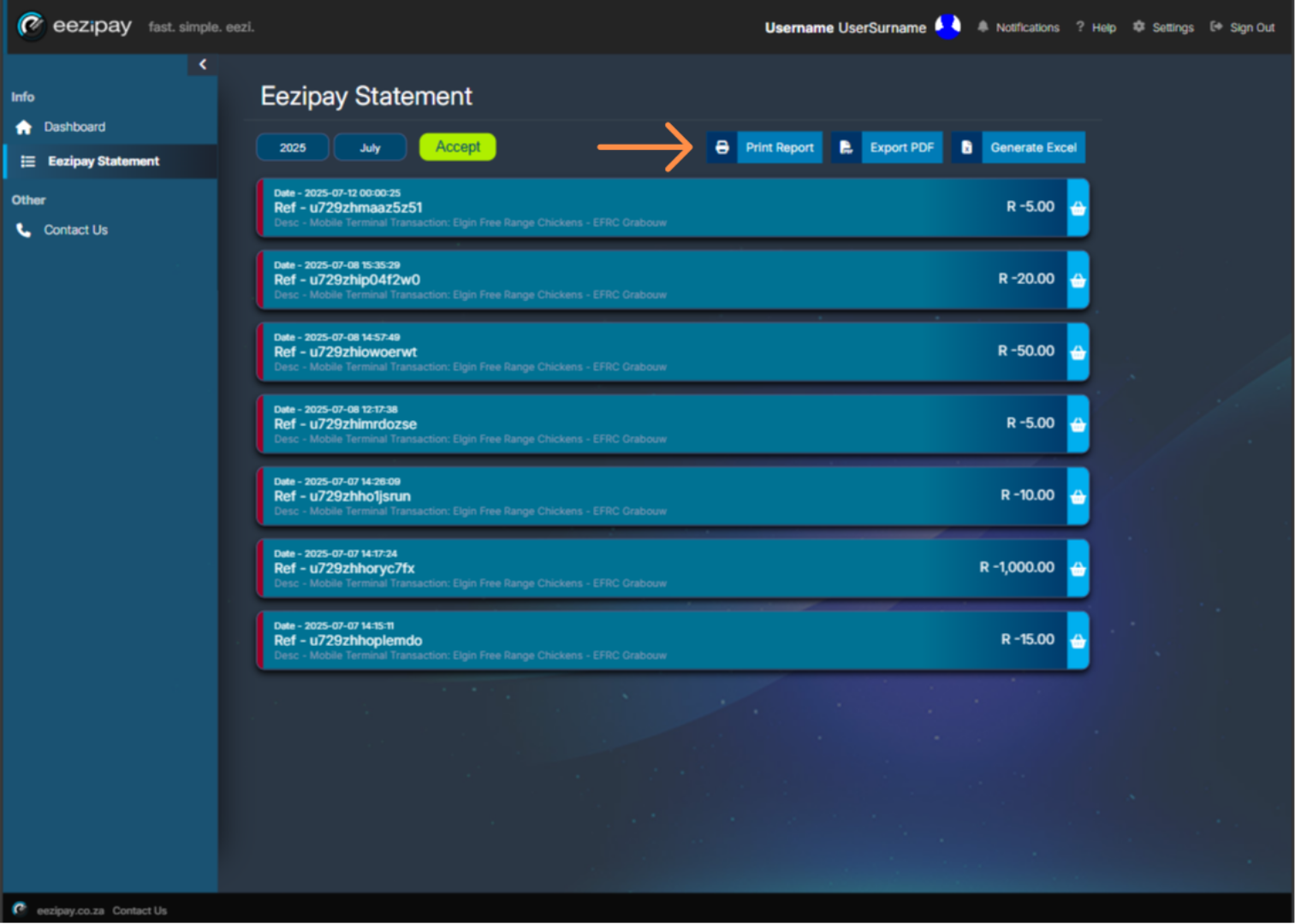
Once generated you can print or export the statements in Excel or PDF.
- 04
How to Contact Eezipay Support
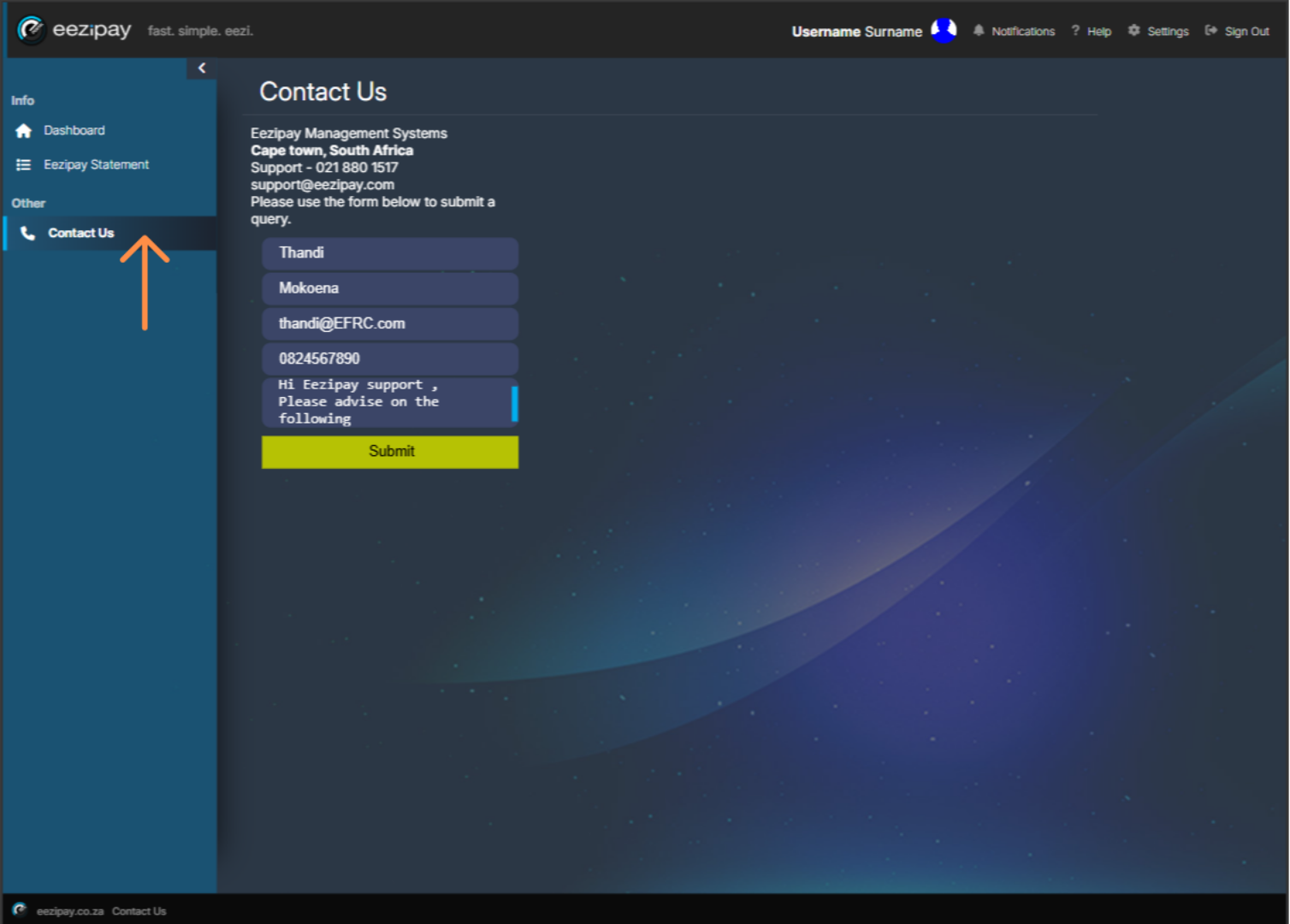
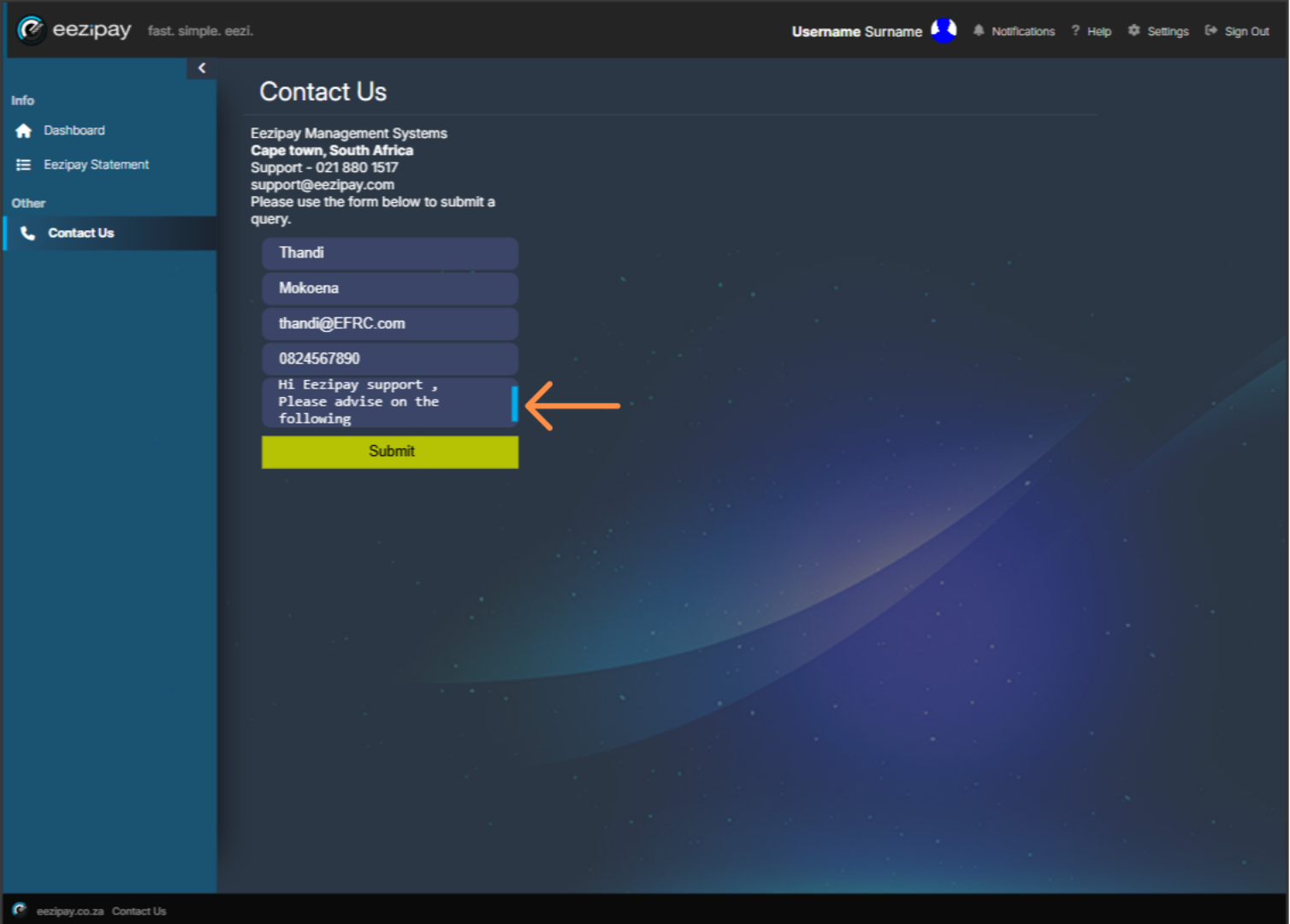
If you have any application-related questions or concerns, you can reach out by using the Contact Us functionality. Click on the Contact Us menu option to start this process. You will be directed to the Contact Us page.
- 05
How to Contact Eezipay Support
Here, simply enter your concerns or questions in the available field, and click on the Submit button to proceed with the submission of the query.
- 06
How to Log Out of the Eezipay Application
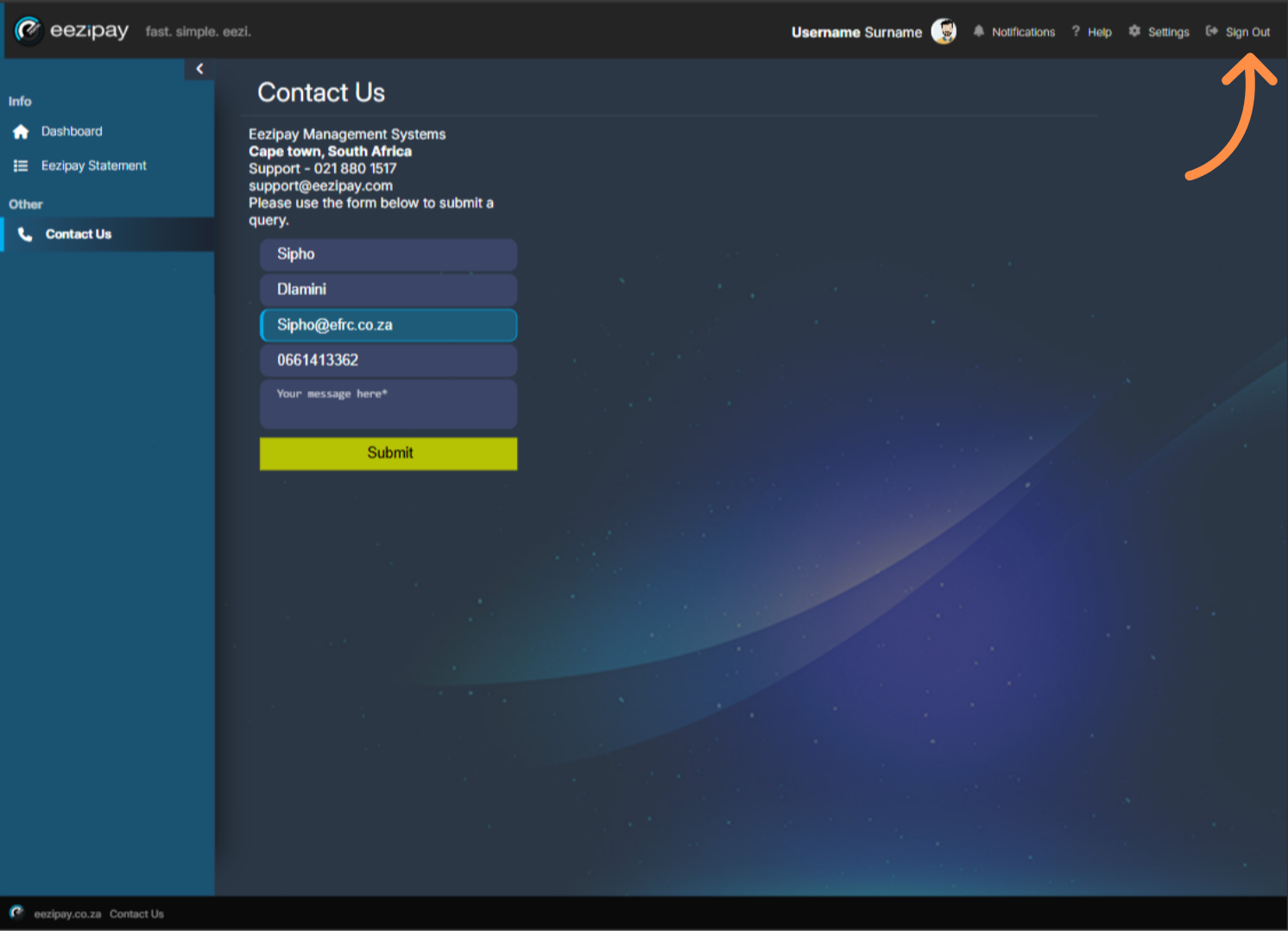
To sign out of the application, simply click on the button located at the top right-hand corner of the screen.
Related guides
Still need a hand?
Email support@eezipay.com and the Eezipay support team will help you out.